

Extended Producer Responsibility (EPR) is already changing how drinks businesses operate, particularly when it comes to reporting, cost tracking and process review. And if you’re already mixing up EPR and ERP, don’t worry you’re not the only one! The two acronyms may sound similar, but the relationship between them is important: EPR creates the reporting requirement, while ERP gives you a practical way to manage the data behind it.
Here at TVT, the Bevica team have been looking at EPR from a practical point of view recently. Not just what this will mean for our customers, but what they actually need to do to be EPR compliant, and how business management systems like Bevica can be configured to help take some of the pressure off.
What follows is a straightforward guide based on that work.
What EPR reporting means day-to-day
At its core, EPR is about reducing packaging waste by placing more responsibility, and cost, on producers. In practice, EPR reporting involves tracking packaging materials, assigning weights, calculating fees, and submitting results to a compliance scheme. Fees are then applied based on what’s been sold.
As highlighted in our EPR walkthrough, the key change is that this becomes part of everyday operations rather than a separate reporting exercise:
“As you do sales, you record these weights… and then at the end of the period, we report on those weights.”
This shift brings a few immediate challenges. Firstly, businesses need accurate packaging data at item level. Secondly, a consistent way to calculate fees. And, finally, they need clear insights to understand how those fees impact business costs. over time.
Using ERP systems to manage EPR reporting
EPR reporting might start as a theoretical compliance challenge, but in practice it quickly becomes a question of how well your business manages the flow of packaging, sales, and cost data. For many businesses, EPR reporting is a monthly trawl through spreadsheets. You need to pull sales data together, match it to product details, and then do manual calculations. As your business grows, this approach becomes more arduous and less feasible.
That’s where using your business management system to store your EPR data really makes a difference. Having all your relevant data - product, sales and EPR responsibilities – all in one place makes it easier to keep everything consistent and up to date.
How EPR in Bevica works in practice
If you’d rather see how this looks in a live Bevica environment, we’ve put together a practical walkthrough that shows how EPR can be managed in an ERP system, from capturing packaging data through to reporting and fee tracking.
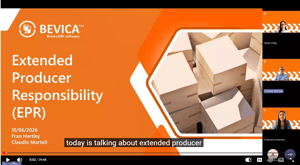
Here at TVT, we believe that you shouldn’t treat your EPR responsibilities as something separate. Rather it should fit into your day-to-day processes.
How Bevica supports EPR reporting
The aim is to make EPR reporting part of the natural flow of data. That means capturing packaging information at item level, carrying it through the sales process, and producing consistent outputs for reporting.
The goal is fairly straightforward:
“Record the weights… report on them… and record the fees that are associated to those weights.”
How you get there can vary.
If you want to start simple: a manual but workable process
At the simplest level, businesses often begin by storing packaging weights against items and then pulling sales data into a reporting tool at the end of the period. Fees are calculated separately, often using spreadsheets or Power BI.
This approach gets the job done and doesn’t require much upfront investment. The trade-off is that it relies on manual effort and typically only gives visibility at month end, rather than during the period itself.
Moving towards a more structured approach
A more developed setup introduces structure into the process. Materials are defined clearly, product packaging information is built up in a consistent way, and calculations happen automatically as sales are processed.
In our walkthrough, we showed the example of item-level material composition (effectively a bill of materials for packaging) which then feeds into reporting. The result is a process that is repeatable and far less dependent on manual handling:
“You create your item material compositions… then on sales orders it does the calculation… then the journal collects all that information for reporting.”
This kind of approach helps bring consistency, particularly as product ranges grow or reporting requirements become more detailed.
The bit most businesses notice: finance
One of the more interesting points that comes up is how EPR feeds into finance. While many systems can calculate expected fees, they don’t always automatically reflect those costs in the accounts.
That leaves businesses with a choice. Some are comfortable managing EPR as a reporting exercise and posting costs periodically. Others prefer to bring it into their financial processes more directly, allowing fees to build up alongside sales so the impact is visible throughout the month. There isn’t a one-size-fits-all answer; it depends how far your business wants to take its setup.
Where Bevica fits
EPR reporting doesn’t need to be over-engineered, but it does need to be workable. The right approach depends on the level of detail you need, the volume of transactions you handle, and how important it is to see costs accrue during the month rather than only at period end.
This is where Bevica helps bring things together. Built on Business Central and designed for the drinks sector, it gives you a structured way to manage product, packaging, sales, and cost data in one place. That makes EPR easier to manage as part of your existing processes, rather than as a separate spreadsheet exercise.
Start simple, then build from there
You don’t have to do everything at once. The important thing is to keep the process straightforward without losing accuracy: reduce manual steps, keep data consistent, and make sure you can see what is happening financially. From there, you can start with a simple process and build towards a more automated approach as your needs evolve.
What next?
If you’re already using Bevica and want to understand how your system can support EPR tracking, speak to your Customer Engagement Manager. They can help you look at the data you already hold, where packaging information should sit, and what steps you may need to take to make reporting more manageable.
If you’re not yet a Bevica customer but are struggling with EPR reporting, we can help you explore what a more reliable process could look like. Bevica is designed for drinks businesses and can help you bring product, packaging, sales, and cost data together in one comprehensive business management system.